Garmin Dash Cams Decoded: Mini 3 vs X110, X210, X310
The model number mostly sets resolution, not the picture's width: all five current Garmin dash cams use the same 140 degree lens. The X310 records 4K at 30 fps; its 120 fps mode is 1080p without HDR, and the X210's 60 fps is likewise 1080p. The X110 ships with an adhesive mount rather than the magnetic one on the X210 and X310. The Mini 3 has no screen, no GPS and no battery.
Quick Answer
None has a rear lens, so rear coverage means a second Garmin camera, and Parking Guard phone alerts need a Vault subscription.
Key takeaways
- Garmin's US store lists five current dash cams: Mini 3, X110, X210, X310 and Live. All five publish the same 140 degree diagonal field of view.
- The X310's 120 fps and the X210's 60 fps are 1080p settings with HDR off. At their headline resolutions, 4K and 1440p, both record at 30 fps with HDR.
- Garmin calls the X210 and X310 the X110 with more resolution, but the X110 ships with an adhesive mount while the other two get a magnetic one, and the X310 weighs 78 g against 62 g.
- The Mini 3 has no screen, no battery and no GPS of its own. It needs an always-on 12 V cable or Garmin's parking mode cable to record while parked.
- Per the X210 and X310 manuals, parked incident recording works without a subscription. Phone alerts, Live View and cloud storage need a Vault plan.
- No Garmin dash cam has a rear lens. Front and rear coverage means pairing a second camera in the Garmin Drive app, which can merge both into picture-in-picture video.
Side-by-side comparison
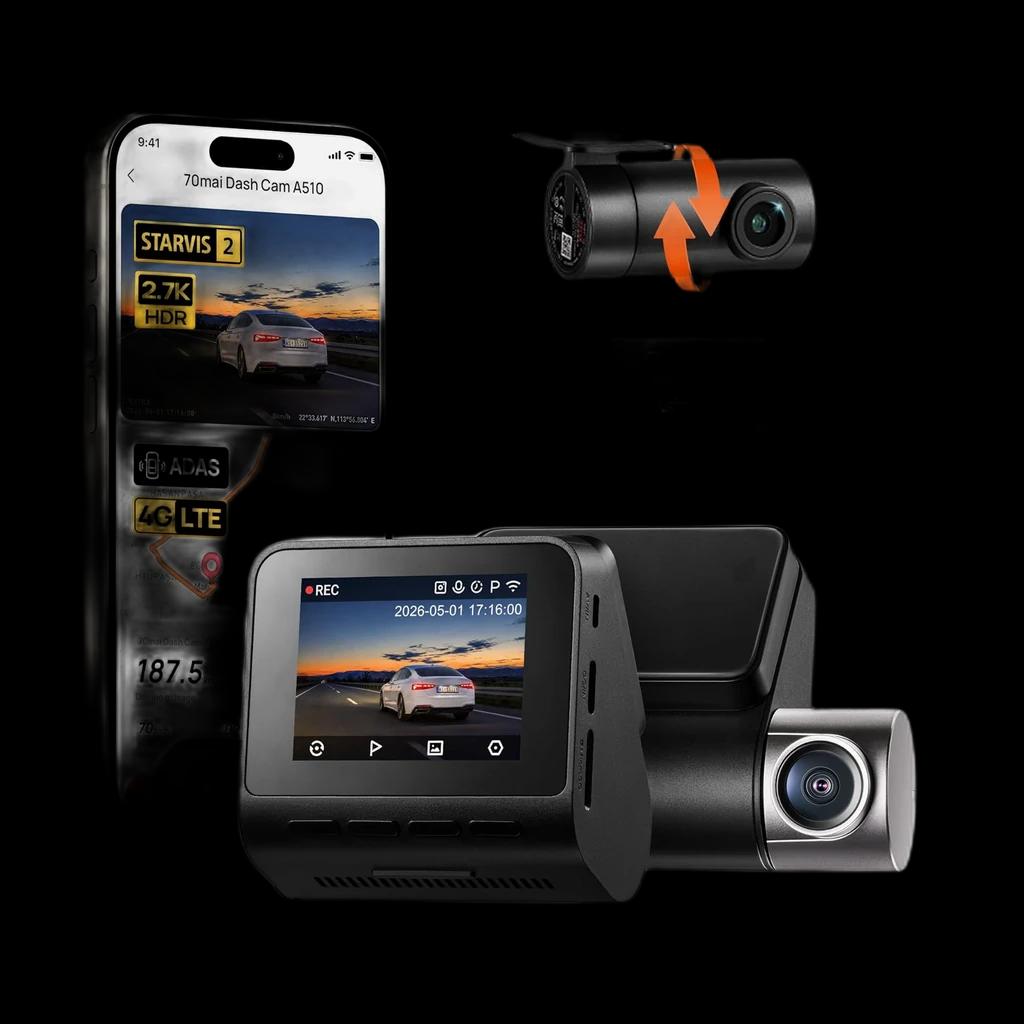
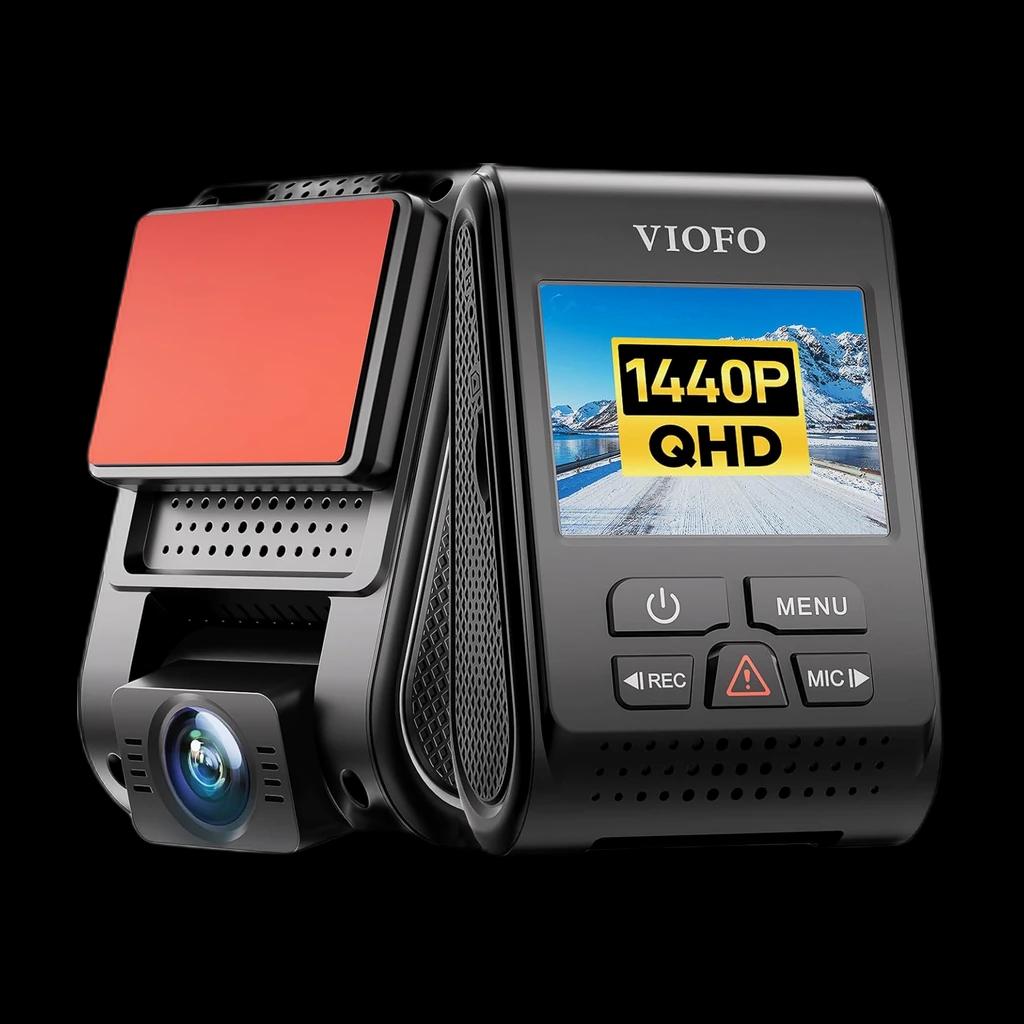
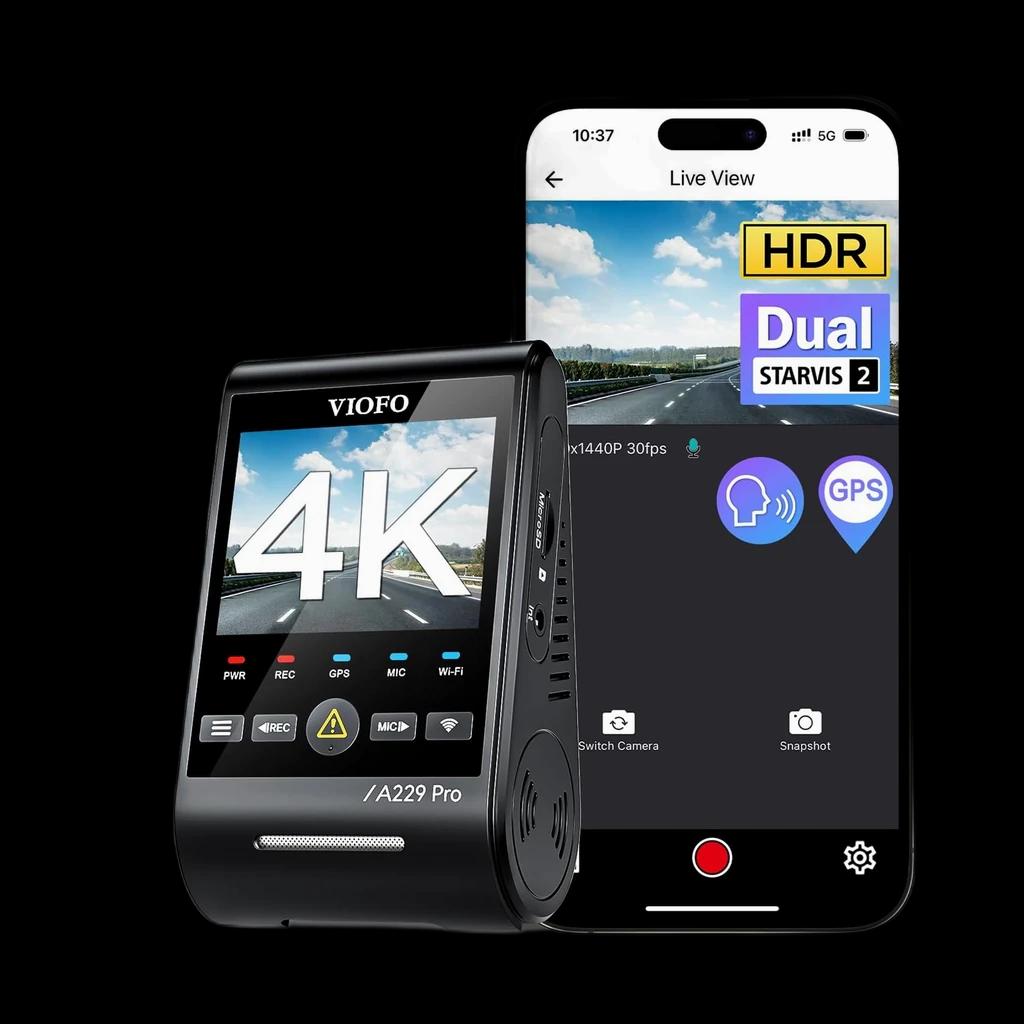
#170mai A510 — front + rear STARVIS 2 4.4 | #2VIOFO A119 V3 — 2K single-channel 4.4 | #3VIOFO A229 Pro — 3-channel 4K STARVIS 2 4.3 | |
|---|---|---|---|
 |  |  | |
| DriveScored | |||
| Verdict | The value pick of the group: 2.7K (1944P) front on a STARVIS 2 IMX675 plus a 1080P rear for $139.99, with GPS and a 64GB card in the box. Optional 4G LTE remote features need 70mai's separate 4G hardwire kit and a cellular plan. | A long-running enthusiast favorite: clean 1440P (2K) capture on a Sony STARVIS sensor with GPS, for buyers who only want a front camera done well. No screen-heavy gimmicks, just a reliable capacitor-based cam that tolerates heat. | Our top pick and the most complete kit here: per VIOFO, a 4K front camera on Sony's STARVIS 2 IMX678, a 2K rear on STARVIS 2 IMX675 and a 1080P infrared cabin camera, with HDR on all three and a supercapacitor instead of a battery. It costs more and is a bigger install than a front-and-rear kit, so the 70mai A510 is the value alternative if you don't need the cabin recorded. |
| Price | ~$139.99Buy on Amazon | ~$99.99Buy on Amazon | ~$309.99Buy on Amazon |
| Resolution | 1944P front + 1080P rear | 2560x1440 (2K) front | 3840x2160 (4K) front + 2K rear + 1080P IR interior |
| Channels | Front+Rear | Front | 3-channel |
| Parking Mode | Yes (hardwire) | Yes (hardwire) | Yes (buffered; HK4 hardwire kit) |
| Field of View | ~140° front | ~140° front | 140° front / 160° rear / 150° interior |
| Buyer sentiment | Quality Video Quality Value for money Ease Of Installation Buyers praise quality, video quality, value for money and ease of installation. Mixed feedback on reliability and connectivity. Based on 814 user mentions | Video Quality Quality Easy To Use Value for money Recording Performance Durability Buyers praise video quality, quality, easy to use and value for money. Mixed feedback on reliability and mounting. Some flag recording performance and durability. Based on 2,133 user mentions | Quality Video Quality Installation WIFI Connectivity Buyers praise quality, video quality and installation. Mixed feedback on reliability and value for money. Some flag wifi connectivity. Based on 330 user mentions |
| Pros |
|
|
|
| Cons |
|
|
|
* Prices are approximate. Click Buy to see current pricing on Amazon.
Which Garmin, or none, the situation calls for
| If your situation is… | Pick | Why |
|---|---|---|
| You want the camera hidden behind the mirror with nothing on the dash | Mini 3 | It is the smallest and has no screen, but it has no battery or GPS of its own and needs an always-on 12 V or parking mode cable to record while parked. |
| You want the cheapest Garmin with a screen and GPS | X110 | It adds a 2.4-inch screen, GPS and a battery, records 1080p at up to 30 fps, and ships with an adhesive mount rather than a magnetic one. |
| You want more than 1080p without paying for 4K | X210 | It records 1440p at 30 fps with HDR and adds the magnetic mount. Its 60 fps setting is a 1080p mode with HDR off. |
| You want the highest resolution Garmin sells | X310 | It records 4K at 30 fps with HDR and adds a touchscreen. The 120 fps on its spec sheet is a 1080p setting, not a 4K one. |
| You want alerts and a live view when the car is away from Wi-Fi | Dash Cam Live | It is the LTE model, with a 2.95-inch screen and the only included memory card in the range, but remote viewing needs a Vault LTE subscription. |
| You want front and rear coverage from a single purchase | Not a Garmin | No Garmin dash cam has a rear lens, so rear coverage means a second camera and a second install. A dual-channel kit records both from one box. |
Each pick is one of the products ranked below - this row is for shortcutting based on your situation, not a separate recommendation.
Garmin sells its dash cams on two numbers: the resolution in the product title and the frame rate on the spec sheet. Put them together and the flagship X310 reads like a camera that records 4K at 120 frames per second. Its own owner's manual says it never does both at once.
Garmin's US store lists five current dash cams on every product page: the Dash Cam Mini 3, X110, X210, X310 and Dash Cam Live. It describes the X210 and X310 as having "the same features as Dash Cam X110". We read every spec table, box list and three owner's manuals. That sentence hides a lot.
Five cameras, one lens
| Model | Top resolution | Screen | GPS | Mount in the box | Power when unplugged | Memory card |
|---|---|---|---|---|---|---|
| Mini 3 | 1080p | None | Only when synced with a GPS Garmin cam | Adhesive | Supercapacitor, no battery | Not included |
| X110 | 1080p | 2.4-inch | Yes | Adhesive | Battery, up to 20 minutes | Not included |
| X210 | 1440p | 2.4-inch | Yes | Magnetic | Battery, up to 20 minutes | Not included |
| X310 | 4K | 2.4-inch touchscreen | Yes | Magnetic | Battery, up to 20 minutes | Not included |
| Live | 1440p | 2.95-inch | Yes, plus LTE | Magnetic | Battery, up to 30 minutes | 16 GB included |
All five publish the same 140-degree diagonal field of view, unlike RedTiger's range, where the lens angle moves between near-identical names. In Garmin's ladder, no amount of money widens the picture.
What the model number changes:
- The top recording resolution, and which frame rates sit beneath it.
- Whether you get a screen, GPS, a battery and a magnetic mount.
What it does not change:
- The 140-degree field of view, identical on all five.
- Voice control and incident detection, listed on all five.
- Multi-camera sync, which every model supports for up to four Garmin cameras.
The frame rate belongs to a different resolution
The X310 spec sheet lists 4K and a frame rate of up to 120 FPS a few rows apart. The X210 lists 1440p and up to 60. The resolution menus in each owner's manual show what those numbers actually pair with.
| Camera | Resolution setting | Frame rate | HDR |
|---|---|---|---|
| X310 | 4K | 30 fps | Yes |
| X310 | 1080p | 120 fps | No |
| X310 | 1080p | 30 fps | Yes |
| X210 | 1440p | 30 fps | Yes |
| X210 | 1080p | 60 fps | No |
| X210 | 1080p | 30 fps | Yes |
On both cameras the fast setting is 1080p, and it is the only option in either menu without HDR, the multi-exposure processing Garmin says helps in high-contrast and low-light scenes. Choosing smooth motion means giving up both the headline resolution and the HDR.
Read the pair, not the peak: on the X210 and X310, the top resolution and the top frame rate are separate menu choices, never one recording.
The Mini 3, X110 and Live all top out at 30 frames per second, so this trade only exists on the two cameras that advertise a higher number.
What "the same features" leaves out
Garmin's own spec tables contradict that shorthand three times:
- The mount. The X110 spec table marks the magnetic mount as absent, adhesive only, and its box holds an adhesive mount. The X210 and X310 ship with the magnetic one.
- The weight. Same 7.00 × 4.22 × 1.95 cm body on all three, but the X310 is listed at 78 g against 62 g for the X110 and X210.
- The radio. The Mini 3 manual lists a single 2.4 GHz Wi-Fi band. The X210 and X310 manuals list 2.4 GHz plus two 5 GHz bands.
Parking Guard and what the subscription actually buys
On the Mini 3, X110, X210 and X310 spec tables, Parking Guard carries a note that a Vault subscription is required. The X210 and X310 owner's manuals are more specific. The camera records automatically each time it detects an incident while parked, and the subscription is what sends that notification to your phone over Wi-Fi.
Works without a subscription, per Garmin's manuals and spec tables:
- Recording to the memory card, including incident recording while parked.
- Reviewing videos in the Garmin Drive app.
- Syncing up to four cameras.
Needs a Vault subscription:
- Parking Guard alerts on your phone.
- Live View on the Mini 3, X110, X210 and X310.
- Uploading clips to Garmin's cloud and sharing them by secure link.
- On the Live, viewing the camera from anywhere over LTE, which needs a Vault LTE plan.
Storage is where Garmin's own pages disagree. A 2022 Garmin blog post says saved clips stay in the Vault free for 24 hours, with paid plans keeping them for 7 or 30 days. The current X310 manual says Vault storage requires an active subscription, and that automatic uploads come with a paid one. We found no current page restating the free tier for the X series, so plan as if cloud storage costs money.
Power is the other half of parking. The X-series cameras have a Run on Battery setting for Parking Guard, but the 15-second Record Before Incident option needs external power. The Mini 3 has no battery at all, and its manual says it must be on an always-on 12 V cable or Garmin's parking mode cable before it can record while parked.
Garmin's Constant Power Cable, the OBD-II accessory for always-on power, can run up to two cameras for a set time after you switch off. Its manual says it shuts off below 12 V to protect the vehicle battery, and rates it for operation up to 45°C, while the X210, X310 and Mini 3 are rated to 60°C.
Check the cable, not just the camera: in a hot parked car, the accessory feeding Parking Guard carries the lower temperature rating.
That fixed 12 V floor is one of the cutoffs mapped in our parking-mode voltage breakdown.
A rear camera means a second camera
None of the five has a rear lens. Garmin's answer is its multi-camera network: pair two or more cameras in the Garmin Drive app, and it builds picture-in-picture video from footage recorded at the same time. If one camera in the network has GPS, location is added to saved video from all of them.
So a Garmin front-and-rear setup is two purchases, two power runs and two memory cards, and the Mini 3 is the obvious rear unit because it borrows GPS from the front camera. Before paying for the second camera, read whether you need a rear camera at all.
Rule of thumb: with Garmin, rear coverage is a second camera and a second install, not a bundle option.
Where this range sits for us
We do not rank a Garmin camera yet, so nothing here judges its video. The documents show a tidy range with a consistent lens, a misleading frame-rate line and a subscription that matters more than the model number. If one box covering front and rear is the goal, the 70mai A510 does it in a single kit. If you want front-only done simply, the VIOFO A119 V3 is our long-running pick, and the VIOFO A229 Pro covers three channels. The full field is on our dash cam rankings.
Common questions
Does the Garmin Dash Cam X310 record 4K at 120 fps?
What is the difference between the Garmin X110 and X210?
Do Garmin dash cams need a subscription?
Does the Garmin Dash Cam Mini 3 have GPS?
Can a Garmin dash cam record the rear of the car?
Research Sources
- Garmin Dash Cam X310 product page and spec table: 4K, 140 degree field of view, up to 120 FPS, 78 g, magnetic mount, Parking Guard with Vault subscription note, and the five-model edition selector
- Garmin Dash Cam X210 product page and spec table: 1440p, up to 60 FPS, magnetic mount, 62 g, battery up to 20 minutes, card not included
- Garmin Dash Cam X110 product page and spec table: 1080p, up to 30 FPS, magnetic mount listed as no (adhesive only), adhesive mount in the box
- Garmin Dash Cam Mini 3 product page and spec table: no screen, supercapacitor instead of a battery, GPS only when synced with a GPS-enabled Garmin dash cam
- Garmin Dash Cam Live product page and spec table: 1440p LTE dash cam, 2.95-inch display, 16 GB card included, live view from anywhere with a Vault LTE subscription
- Garmin Dash Cam X310 Owner's Manual (PDF): resolution settings (4K 30fps HDR, 1080p 120fps, 1080p 30fps HDR), Parking Guard, multiple camera network and Constant Power Cable specifications
- Garmin Dash Cam X210 Owner's Manual (PDF): resolution settings (1440p 30fps HDR, 1080p 60fps, 1080p 30fps HDR), Parking Guard notification with an active Vault subscription, Wi-Fi bands
- Garmin Dash Cam Mini 3 Owner's Manual (PDF): Parking Guard requires an always-on 12V cable or parking mode cable, 2.4 GHz Wi-Fi, operating temperature range
- Garmin Dash Cam X310 Owner's Manual, Vault Storage page: feature requires an active Vault subscription; uploads over Wi-Fi with a paid subscription
- Garmin blog (September 2022), How Garmin dash cams and Vault work together: 24 hours of free Vault storage, 7-day standard and 30-day advanced plans