Quick Answer
A hardwire kit's cutoff voltage is the point at which it stops feeding your dash cam, and the three brands behind the cameras we rank set it in three different places. VIOFO's ACC kit gives you a four-position switch from 11.8 V to 12.4 V, with about 0.3 V of detection tolerance. REDTIGER's kit is fixed: it cuts 60 seconds after the supply falls below 11.8 V, plus or minus 0.2 V. Garmin's Constant Power Cable protects with a timer instead — 10 minutes, 24 hours or always on — over a fixed 12 V floor. Deka's service chart puts 12.4 V at 75 percent state of charge, 12.0 V at 25 percent and 11.8 V at zero, so the least protective of those thresholds sits at the bottom of the chart. Set the highest cutoff your kit offers, then reduce the drain itself by using time-lapse or low-bitrate parking mode rather than continuous recording.
Key takeaways
- The three parking-power accessories for the cameras this site ranks protect the battery in three different ways: a switch you set (VIOFO, 11.8 V to 12.4 V), a fixed threshold you cannot change (REDTIGER, 11.8 V plus or minus 0.2 V), and a timer over a fixed floor (Garmin, 10 minutes to always on, with low battery protection at 12 V).
- Deka's voltage-to-state-of-charge chart puts 12.4 V at 75 percent, 12.2 V at 50 percent, 12.0 V at 25 percent and 11.8 V at zero. Laid over the kits, the least protective published cutoff sits on the bottom row of the chart while the most protective sits at three-quarters charged.
- VIOFO states its detection carries roughly 0.3 V of tolerance. The whole switch range spans 0.6 V, so one position is inside the maker's own uncertainty and only a two-position move is a reliable change.
- The cutoff does not control how fast you reach it. VIOFO describes time-lapse and low-bitrate parking as consuming relatively less than continuous recording, and its own remedy for a drained battery is the highest cutoff plus a two-hour parking timer.
- VIOFO publishes a limitation the roundups skip: the parking G-sensor only works while the camera is already recording, so in auto-event-detection mode an impact that follows no detected motion does not start a recording.
- None of the three publishes the camera's actual parking-mode current draw, so nobody — including us — can convert a cutoff voltage into hours of parked recording.
Which parking-power setup the situation calls for
| If your situation is… | Pick | Why |
|---|---|---|
| Street parking overnight, several nights a week, in one place | An adjustable-cutoff kit set to its highest threshold | VIOFO's own drain troubleshooting names the 12.4 V position first, and on Deka's chart that threshold sits at 75 percent state of charge rather than the bottom of the scale. |
| A car that sits unused for days at a time between short trips | A timer-based accessory, or an adjustable kit with a short parking timer | Garmin's cable stops on the clock rather than waiting for the voltage to fall, and VIOFO's remedy for repeat drain is a parking timer of about two hours. |
| You want the camera watching but the battery is a few years old | Time-lapse or low-bitrate parking mode, before any change to the kit | VIOFO describes both as consuming relatively less than continuous recording, and the mode decides how fast you arrive at the cutoff the kit is guarding. |
| The main risk you are guarding against is being hit while parked | Not auto-event detection on its own | VIOFO states the parking G-sensor only works during recording, so an impact with no preceding motion in frame does not trigger a file in that mode. |
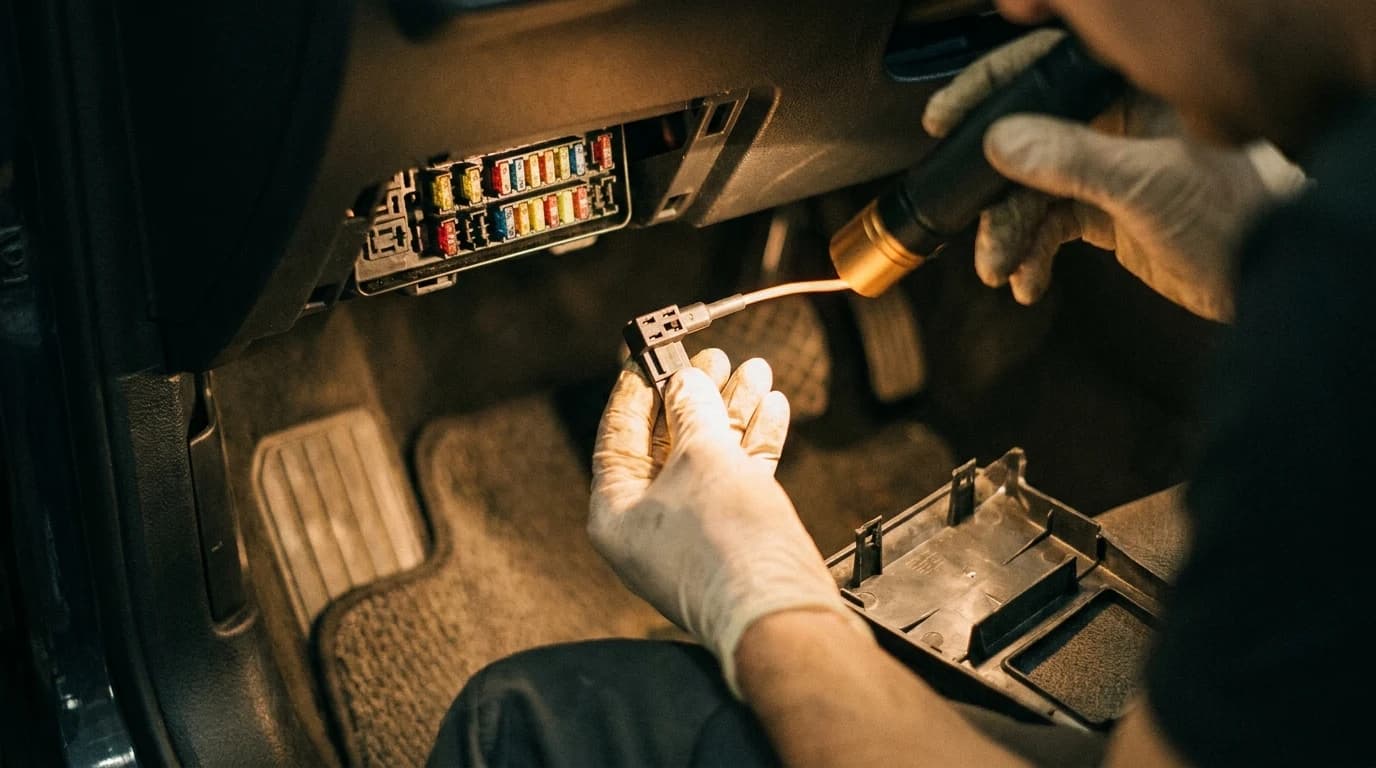
| The kit is already fitted and the battery still goes flat | Check the ACC tap before blaming the camera | VIOFO's troubleshooting has the yellow wire on an accessory port that loses power, the red on constant live and the black on ground; a permanently live ACC tap means the kit never sees the car switch off. |
| You are still choosing a camera and parking mode matters to you | Check whether that brand's kit has an adjustable cutoff at all | REDTIGER's published threshold is fixed at 11.8 V plus or minus 0.2 V, which is the one specification here that cannot be changed after purchase. |
Use this row to shortcut by situation.
Parking mode is the feature people buy a dash cam for, and the one they end up arguing with. Two posts on this site already tell you it needs a hardwire kit with a low-voltage cutoff. Neither tells you what that number should be.
So we read what the three parking-power accessories behind the cameras we rank actually publish. They do not agree on what protecting your battery means — and one of them does not let you have an opinion about it.
Three accessories, three different ideas of protection
| Accessory | How it protects the battery | What the maker publishes |
|---|---|---|
| VIOFO ACC hardwire kit (A229 Pro, A119 V3) | A voltage cutoff you choose | Four switch positions, 11.8 V at the low end to 12.4 V at the high end, with roughly 0.3 V of detection tolerance |
| REDTIGER hardwire kit (F7N) | A voltage cutoff, fixed | Power cuts 60 seconds after the supply falls below 11.8 V, plus or minus 0.2 V |
| Garmin Constant Power Cable (OBD-II) | A timer, with a voltage floor beneath it | Time switch at 10 minutes, 24 hours or always on; low battery protection voltage 12 V; input 12–16 V, 1.6 A max |
Read the middle column first. Two of the three stop by voltage and one stops by clock, which is why owners comparing them talk past each other. Garmin's cable reports the difference on a single LED: red while it is supplying power, flashing red once the timer has expired, and off when it is seeing less than 12 volts.
What those volts mean on a battery chart
The kits publish a threshold. None of them publishes what a threshold means. Deka does, in a service leaflet aimed at counter staff rather than dash cam buyers.
| Voltmeter reading, 12 V battery | State of charge |
|---|---|
| 12.6 V | 100% |
| 12.4 V | 75% |
| 12.2 V | 50% |
| 12.0 V | 25% |
| 11.8 V | 0% |
Now lay the two tables over each other. REDTIGER's fixed cutoff and VIOFO's most permissive switch position both sit on the row Deka labels zero. Garmin's fixed floor sits on the 25% row. VIOFO's most protective position sits at 75%. All three accessories describe themselves with the same phrase.
The translation: "low voltage protection" tells you a floor exists. It does not tell you where the floor is — and across these three, the gap between the highest and lowest published floor is the difference between three-quarters charged and the bottom of the chart.
One caveat, stated plainly because it changes how much weight the overlay carries. Deka's figures come from a voltmeter check on a battery that is not being charged or cranked, while a hardwire kit reads its own fuse tap with the camera running. Treat it as a translation, not a fuel gauge. What survives the caveat is the ordering: these three protect at meaningfully different points, and the one with no switch protects last.
The tolerance is as wide as the whole adjustment
VIOFO adds a line most owners never reach: there is about 0.3 V of tolerance in the kit's voltage detection. The entire adjustment range is 11.8 V to 12.4 V, which is six tenths of a volt. A band of plus or minus 0.3 V is exactly that wide.
- Moving the switch two or more positions is a real change in behaviour.
- Moving it one position sits inside the manufacturer's own stated uncertainty.
- REDTIGER publishes plus or minus 0.2 V on a fixed 11.8 V, so its cut can land nearer 11.6 V — and there is no switch to raise it.
The switch is not what drains the battery
How fast you reach the threshold is set in the camera menu, not on the kit. VIOFO's parking menu offers three modes and describes their appetites differently: auto-event detection records only when motion enters the frame, time-lapse records fewer frames per second with the audio off, and low-bitrate records continuously at reduced quality. VIOFO puts the consumption of the latter two as relatively lower.
The same page carries the limitation nobody quotes. The parking G-sensor, VIOFO writes, only works during recording — so in auto-event-detection mode, if the camera has not already been triggered into recording by motion, an impact does not start one either.
What the cutoff does protect:
- The next start, by reserving charge before the camera empties the battery.
- The kit itself, through over-current, short-circuit, reverse-polarity and overheat protection on the REDTIGER unit.
What it does not do:
- It does not decide how quickly you arrive at the threshold. The parking mode does.
- It does not guarantee footage. On auto-event detection, a G-sensor hit alone will not wake the camera.
- It does nothing if the ACC wire is tapped into a permanently live fuse, because the kit then never sees the car switch off.
The figure none of the three publishes
Not one of them states how much current the camera actually draws in parking mode. Garmin publishes a maximum: 12 to 16 V in at 1.6 A, and 5 V out at 1.5 A per port. Those are ratings for the cable, not a measurement of a camera sitting in a dark garage.
Without a real draw figure and your battery's amp-hour rating, a cutoff voltage cannot honestly be converted into hours of parked recording. Plenty of pages publish those hours anyway. We are not going to, because we do not have the number and neither do they.
What VIOFO says to do when the battery still dies
Their own troubleshooting order is the useful part, and it is not the order the accessory aisle implies.
- Choose the highest, 12.4 V protection rate, and set the parking timer to around two hours.
- Confirm the yellow ACC wire sits on an accessory port that loses power, the red on a constant live port, the black on ground.
- Check whether anything else in the car is drawing while it sits.
Notice the order. The wiring gets checked second and the other loads third, behind a settings change.
Rule of thumb: the fix for a parking-mode battery drain is nearly always to record less, not to power more.
Which lands the decision somewhere unglamorous. Buy the camera for its video — that is what the channel-count question is really about — and treat parking power as a separate purchase with its own specification. If you park outside overnight, the number to check before you order is whether the kit's cutoff is adjustable at all, because a fixed 11.8 V is the one setting you cannot walk back later.
Your next step
Choose a camera and hardwire approach after understanding the cutoff tradeoff.
Common questions
What cutoff voltage should I set on a dash cam hardwire kit?
Will a hardwire kit's low voltage protection stop my battery going flat?
Does a dash cam parking mode use less power on time-lapse?
Does the G-sensor work in dash cam parking mode?
How many hours will a dash cam record in parking mode?
Can I use a hardwire kit if my fuse box has no always-on circuit?
Research Sources
- VIOFO Support — What cut-off protection voltage to choose for a hardwire kit: the four switch positions from 11.8 V to 12.4 V, the 0.3 V detection tolerance, and the battery-drain troubleshooting order
- VIOFO Support — What is auto-event detection? What parking mode to choose: the three parking modes, their relative consumption, and the statement that the parking G-sensor only works during recording
- Garmin Dash Cam X210 Owner's Manual, Constant Power Cable appendix — time switch options, status LED behaviour, and the published specification listing low battery protection voltage of 12 V
- REDTIGER — F7N dash cam hardwire kit product page: low voltage protection cutting power 60 seconds below 11.8 V (plus or minus 0.2 V), plus over-current, short-circuit, reverse-connection and overheat protection
- Deka Batteries — Basic Rules for Battery Care & Maintenance: the voltage versus state-of-charge chart for a standard 12 V battery (12.6 V full, 12.4 V 75%, 12.2 V 50%, 12.0 V 25%, 11.8 V 0%)